


When you look at a journey map or persona generated by AI, you should be able to understand not only what it says, but where that information came from. Was this pain point based on an interview you uploaded? Did this insight come from a report? Was this figure from research findings? Today, answering those questions means going back to your files and checking manually.
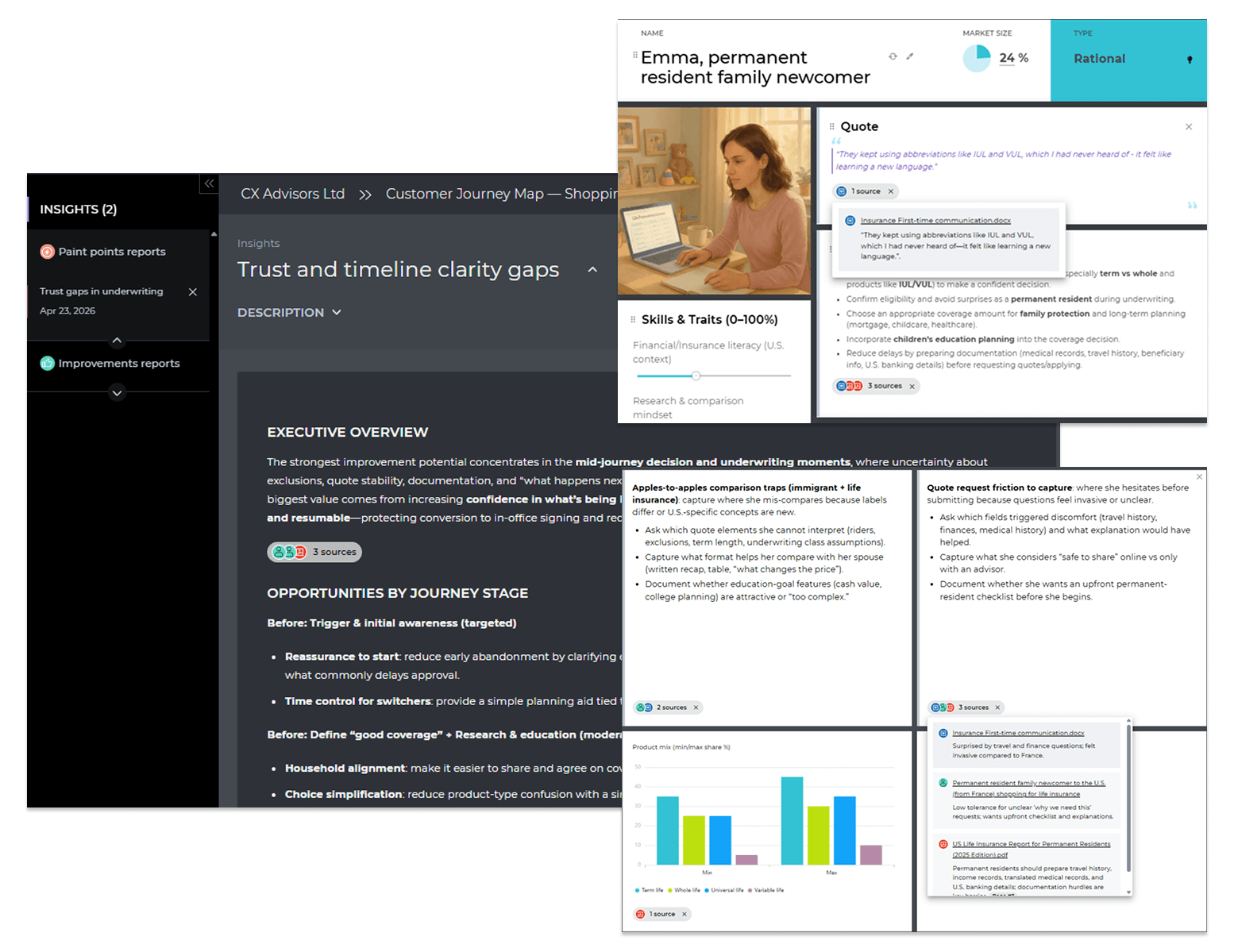
But there’s a solution: source traceability, UXPressia's latest functionality. It takes that work off your plate. Every AI-generated piece of content now links directly to the document it drew from, right inside your map, persona, insight report, or even a journey summary you generated in UXPressia.
Contents [hide]
How it works
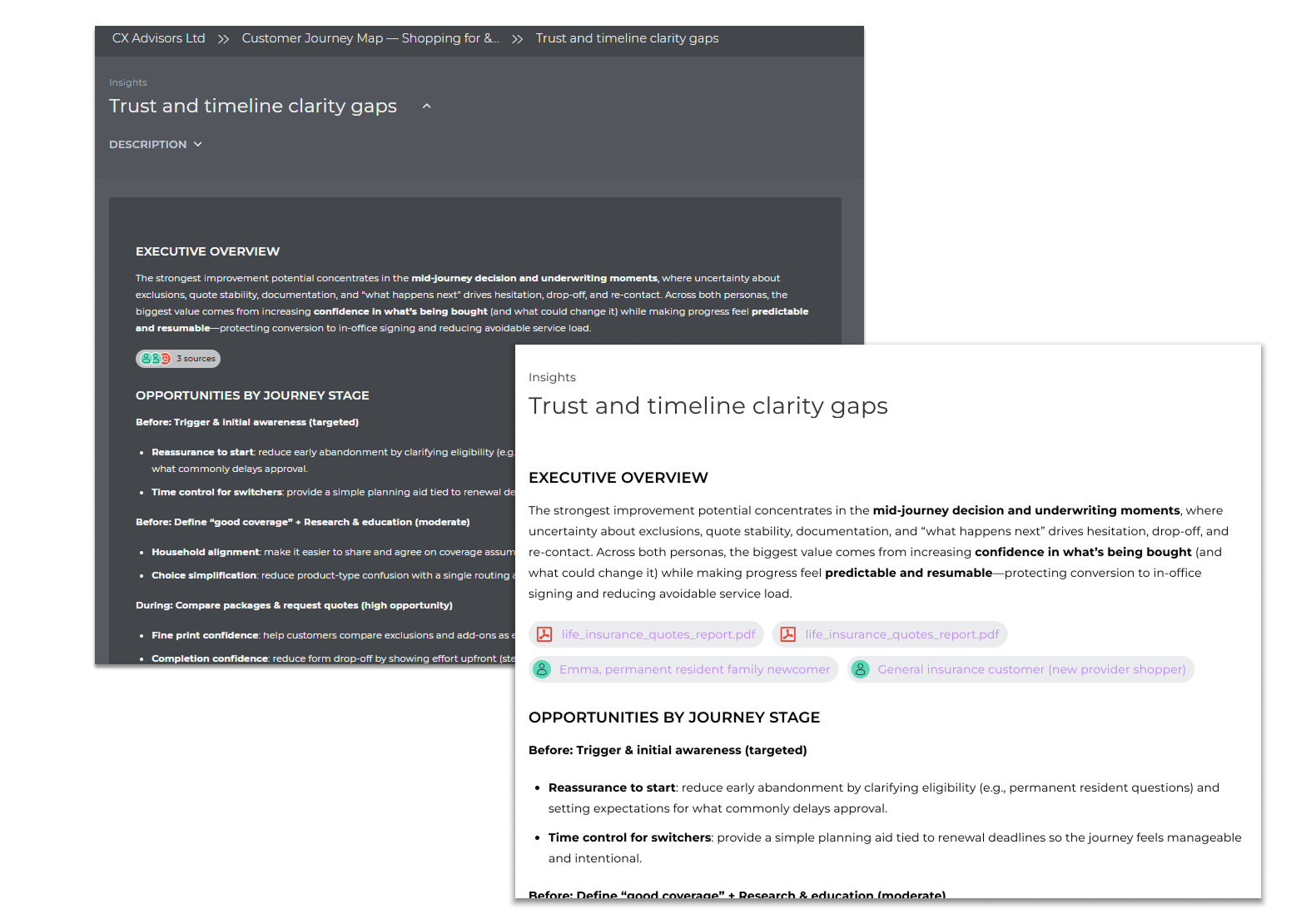
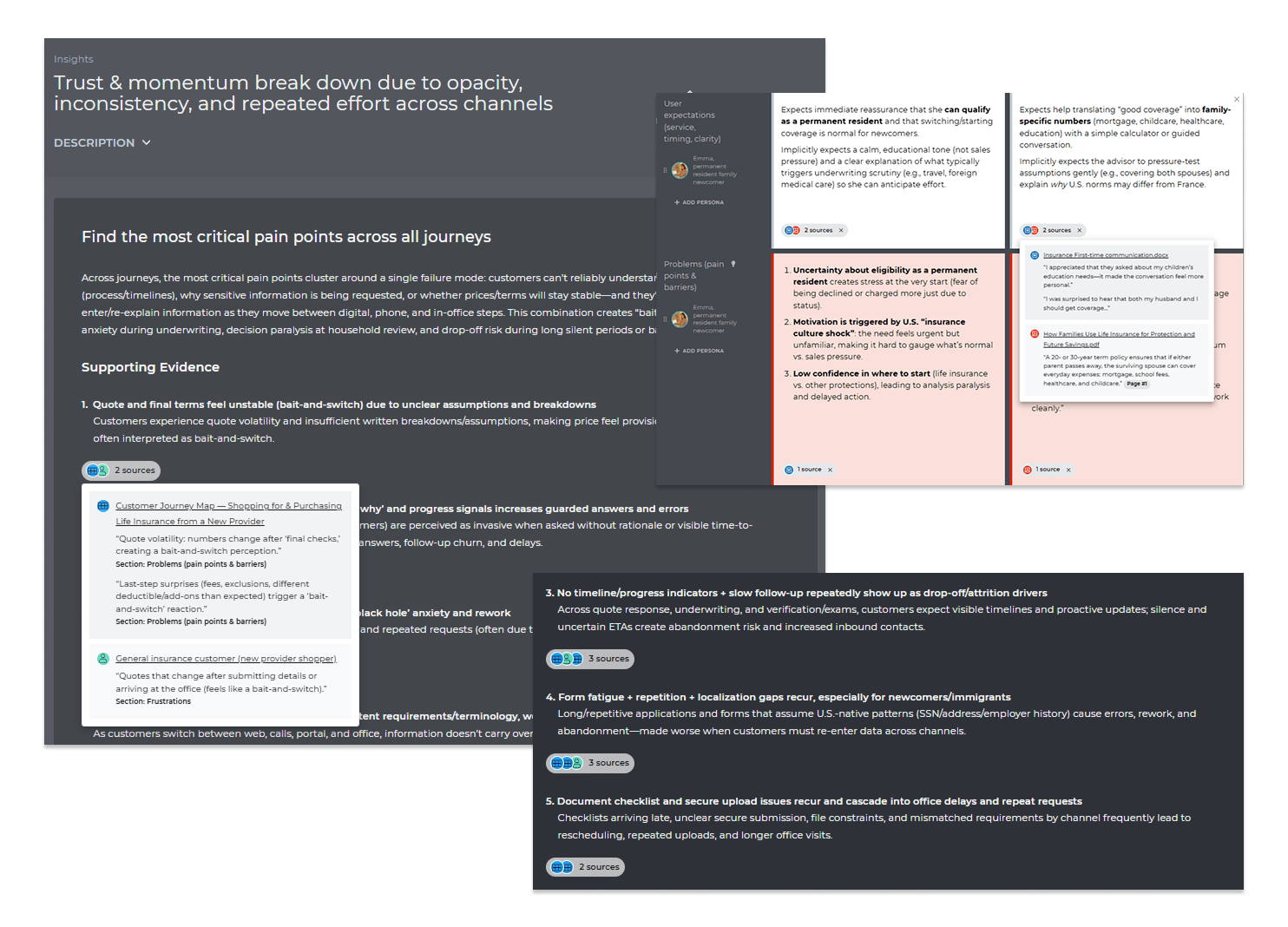
Small badges appear in your map cells, persona fields, and insight sections, and anywhere AI used the document(s) you uploaded to generate or update content. That's source traceability at work.
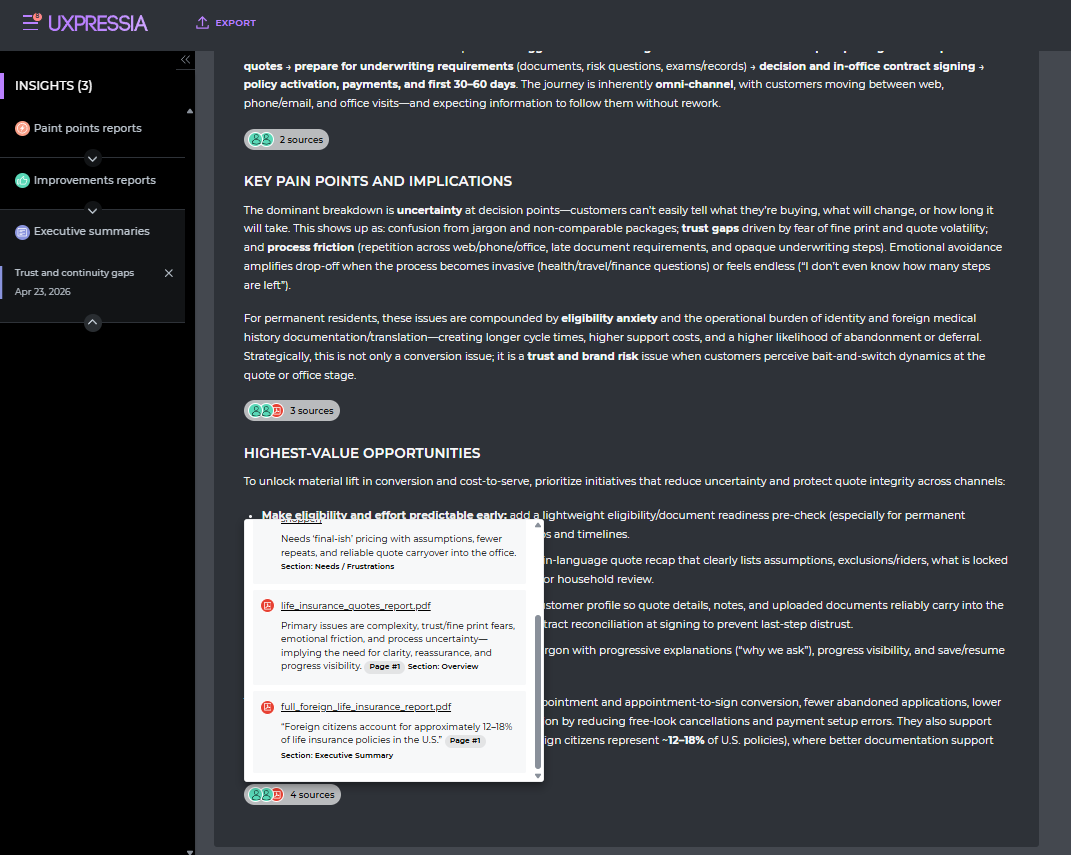
Source tracing work across:
- AI-generated personas and maps: each cell links to the research document behind it. For example, for a journey map, you'll see the user input, research documents, and personas used to generate it.
- AI-updated journey maps: when you ask the AI Journey Assistant to update your map with new findings.
- Map insights: when the Journey Assistant analyzes the map and produces a report or an executive summary.
- Workspace Insights: when you surface the workspace for patterns using the Reports functionality.
Why this matters
Source tracing isn't just a nice-to-have. It changes how you review, present, and trust AI-generated content.
Validate insights without leaving the map
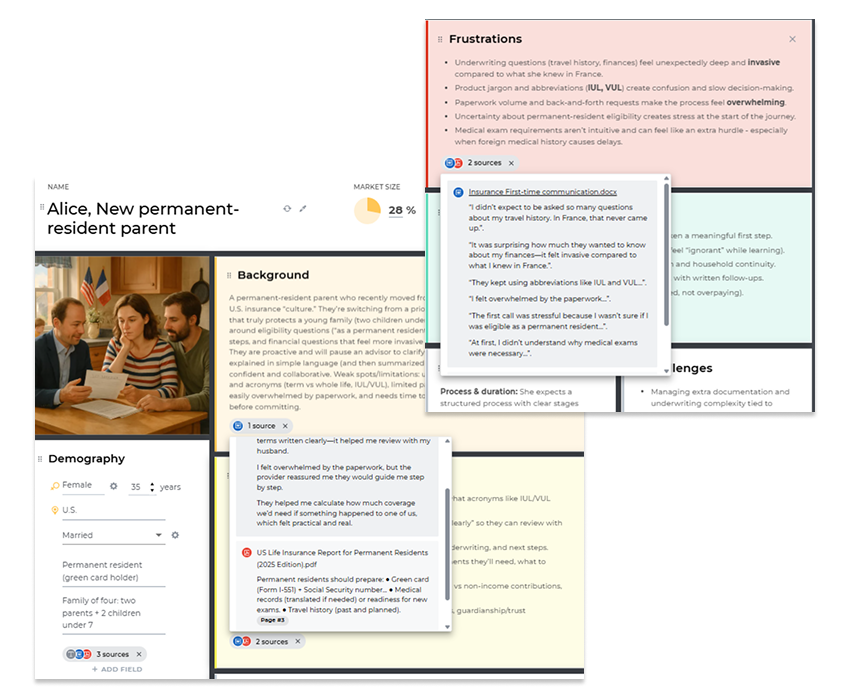
You uploaded six interview transcripts, and AI generated a persona. One of the pain points looks surprising. Instead of reopening the transcripts and searching for the passage, you click the badge. There it is: page 4 of Interview #3.
Review becomes spot-checking, not detective work.
See how well-grounded each insight is
A cell with two or three source badges tells a different story than a cell with none. At a glance, you can gauge how well-supported a piece of content is before you take it to a meeting or include it in a report.
Some cells will have no badges, meaning the AI shaped the content from the broader context you provided. Knowing the difference helps you decide where to spend your review time and how much weight to put behind each insight.
Prepare deliverables you can defend
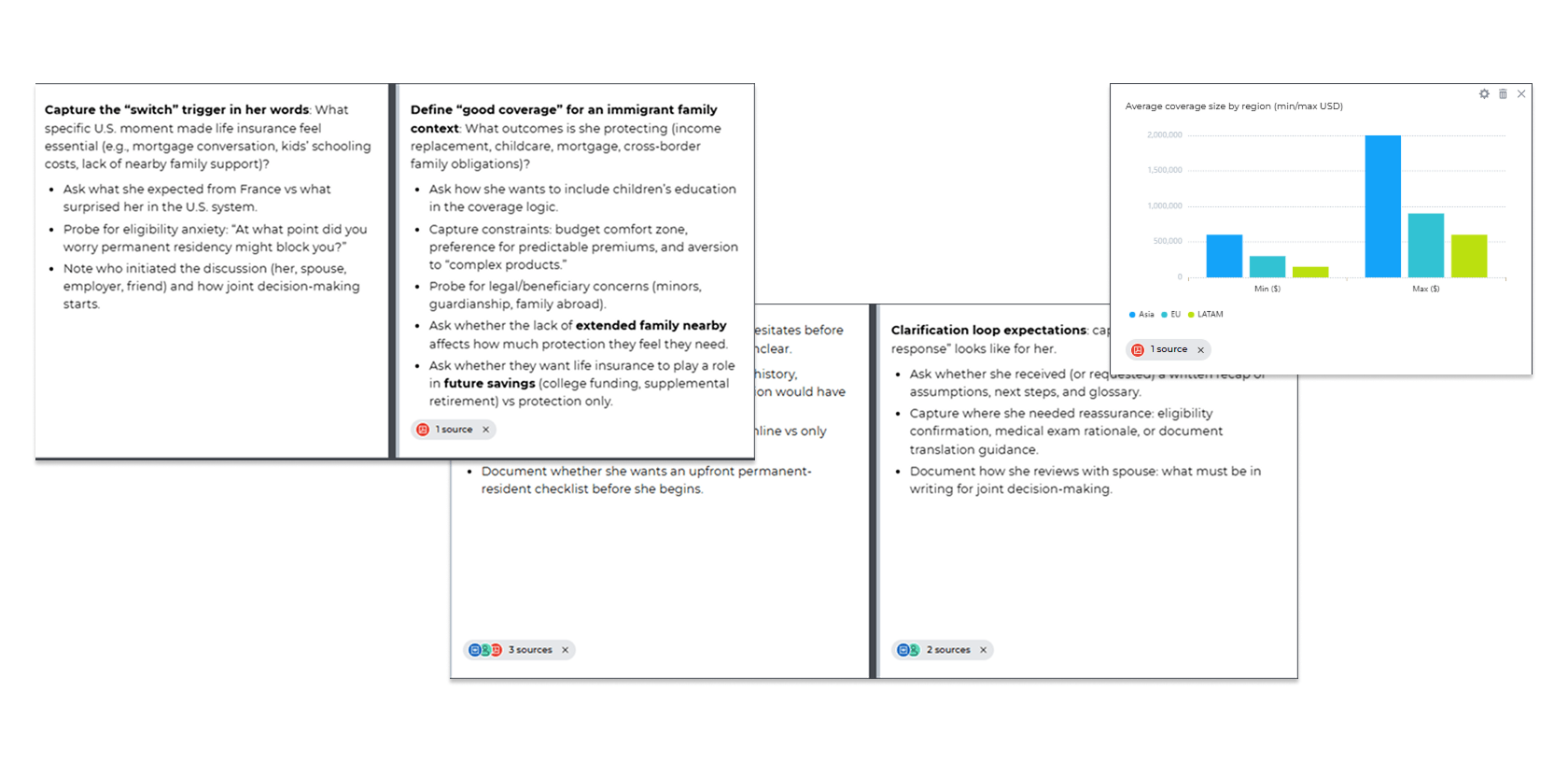
At some point, someone will challenge what's in your map or persona. A VP on a steering committee. A client reviewing a deliverable. A teammate who wants to understand a pain point before acting on it.
With direct links to original documents, you don't search for an original file in the research pack. You click, show the source, and move on. Your maps and personas arrive at the meeting with evidence, and all the necessary links are already there.
Trace unexpected findings back to the source
Sometimes AI surfaces a detail you didn't expect: a competitor mention, a metric, a pain point you hadn't noticed. Instead of questioning whether the AI made it up, you click the badge and see exactly which document contributed it. If it's there in the research, you can trust it. If there’s no badge, you know to dig deeper.
Try it out
Source traceability is now available as part of AI Boost, our premium add-on.
Contact us at sales@uxpressia.com to see it in action, or reach out to your account manager with questions.




Comments are reviewed before they appear.