


This release brings a lot to unpack: a new way to quickly get customer perspective, plus more control over your CX work.
Contents [hide]
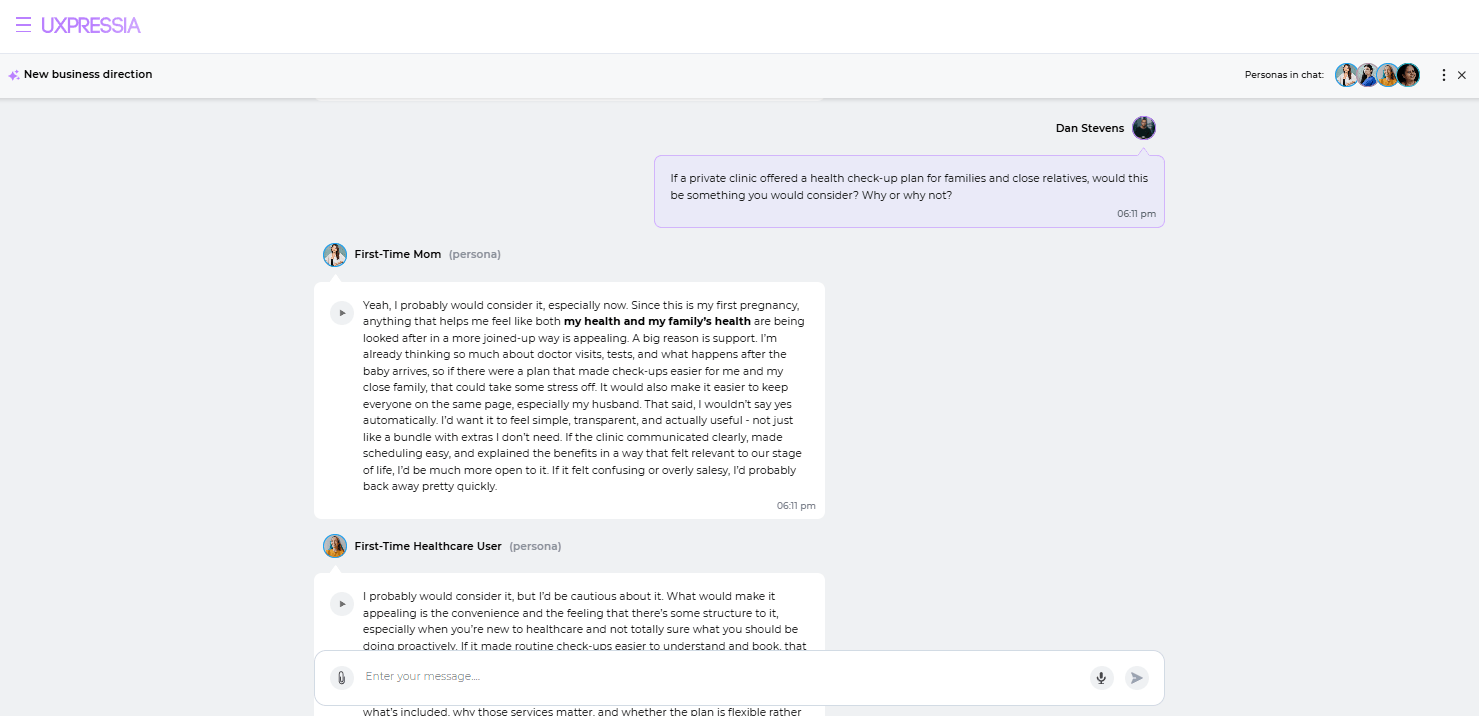
Chat with several personas at once
Bring several personas (and your teammates) into a live group chat to pressure-test an idea or get a quick read from different customer segments. Available with AI Boost.
See where every initiative stands, by tag
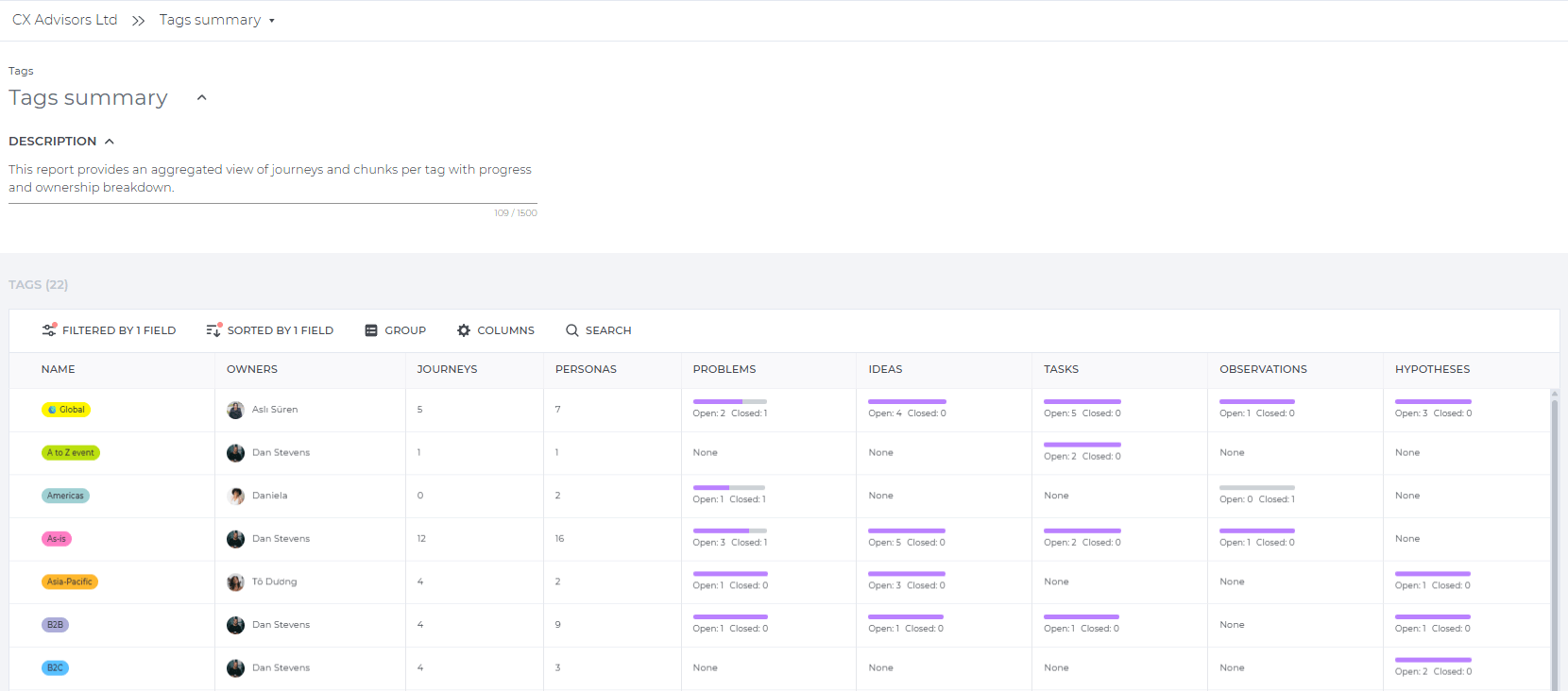
The new Tag Summary Report, available to Business and Enterprise users, gives you a high-level view across all your workspace-level tags: how many maps, personas, tasks, problems, ideas, etc. exist under each one, who owns them, and how much progress has been made.
It's an easy way to spot neglected initiatives, make ownership visible when work is spread across teams, and answer "where do we stand?" in seconds, whether that's for a leadership review or a cross-team status check.
Define your own Chunk types
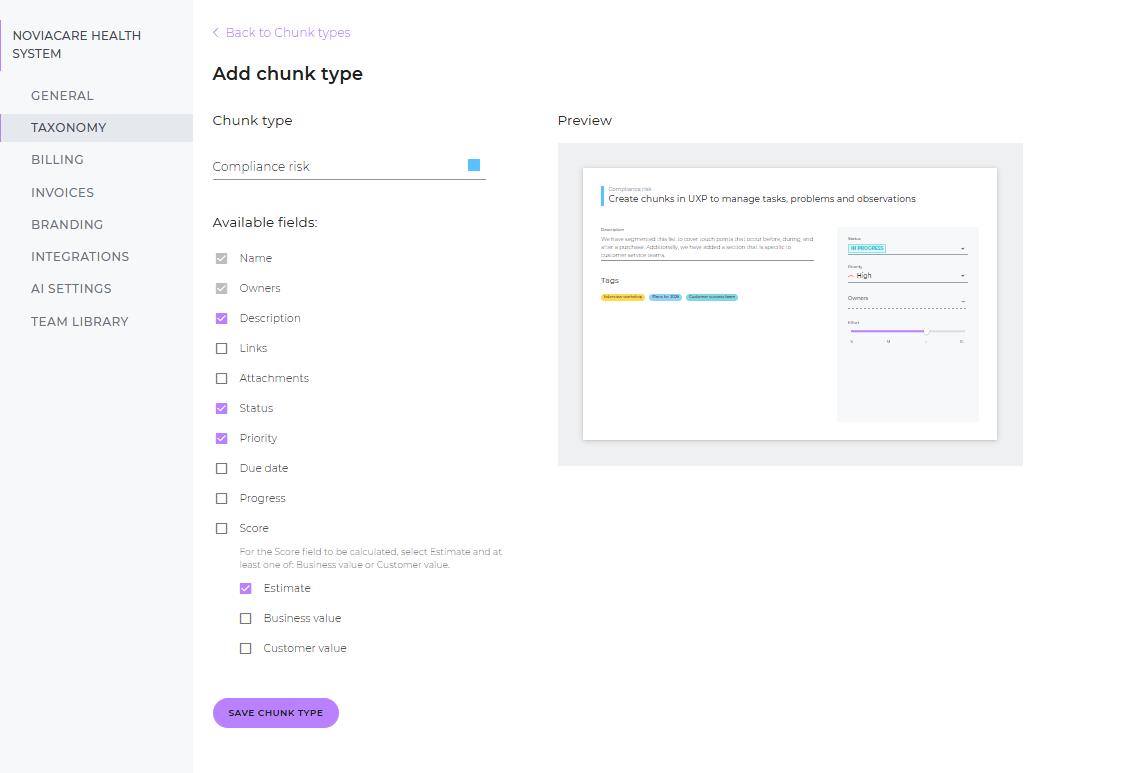
Beyond the default Chunk types, users on the Pro plan or higher can now configure the chunk types available across their workspace: which types exist and what fields each one has.
A healthcare team might add a "Compliance risk" type; a financial services team might create a "Moment of trust" type tied to their CX framework.
This standardizes how the whole team captures insights, so everyone's working with the same structure built around your organization.
See your metrics without leaving the dashboard
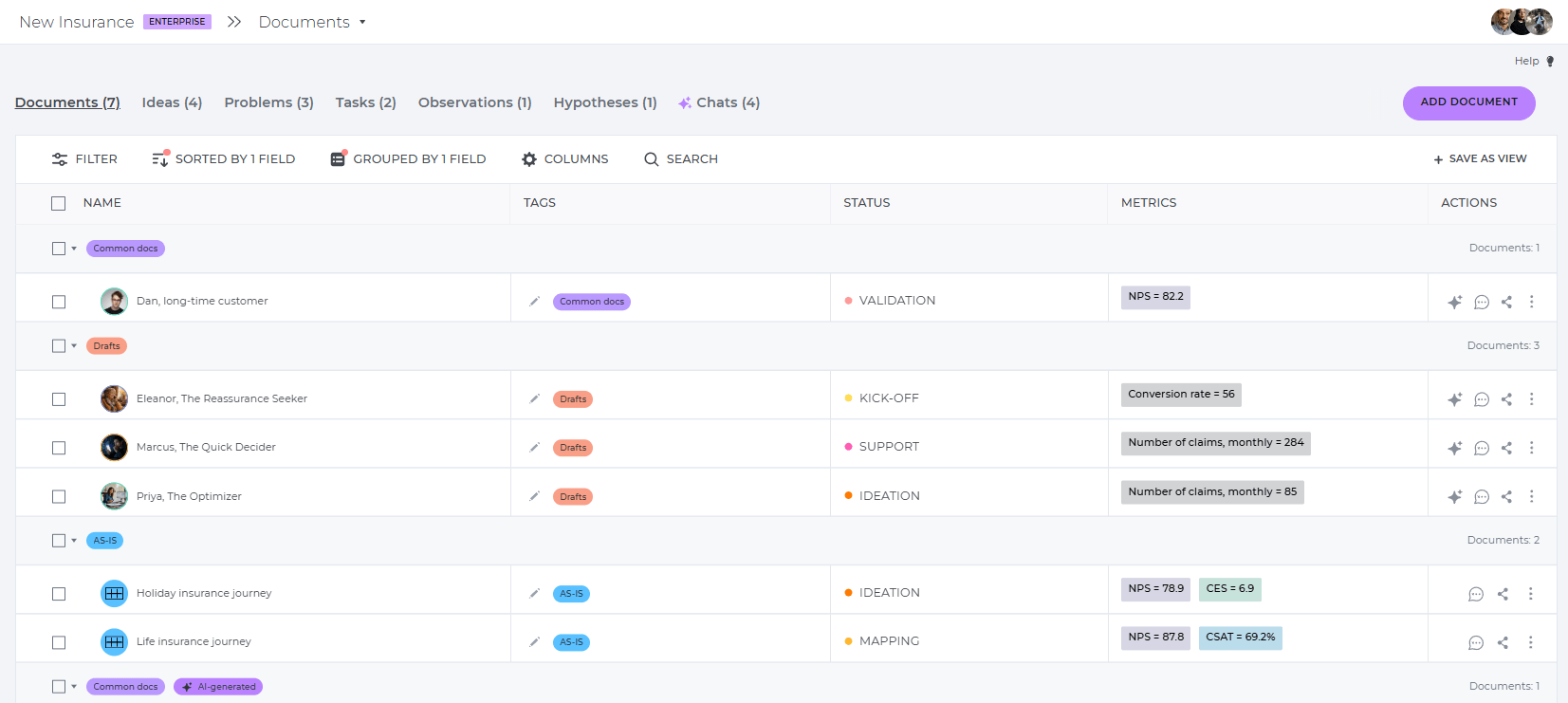
NPS, CSAT, CES, and other key metrics now appear directly in the Documents table, next to each map and persona. No need to open individual documents to check where things stand. Your entire CX portfolio, including its performance data, is visible in a single view.
This feature, available from the Business plan, makes it easier to spot which journeys and personas need attention, prioritize where to focus next, and answer questions like "which of our journeys has the lowest CSAT?" in seconds, whether you're prepping for a team sync or a leadership review.
Use custom attributes in your personas
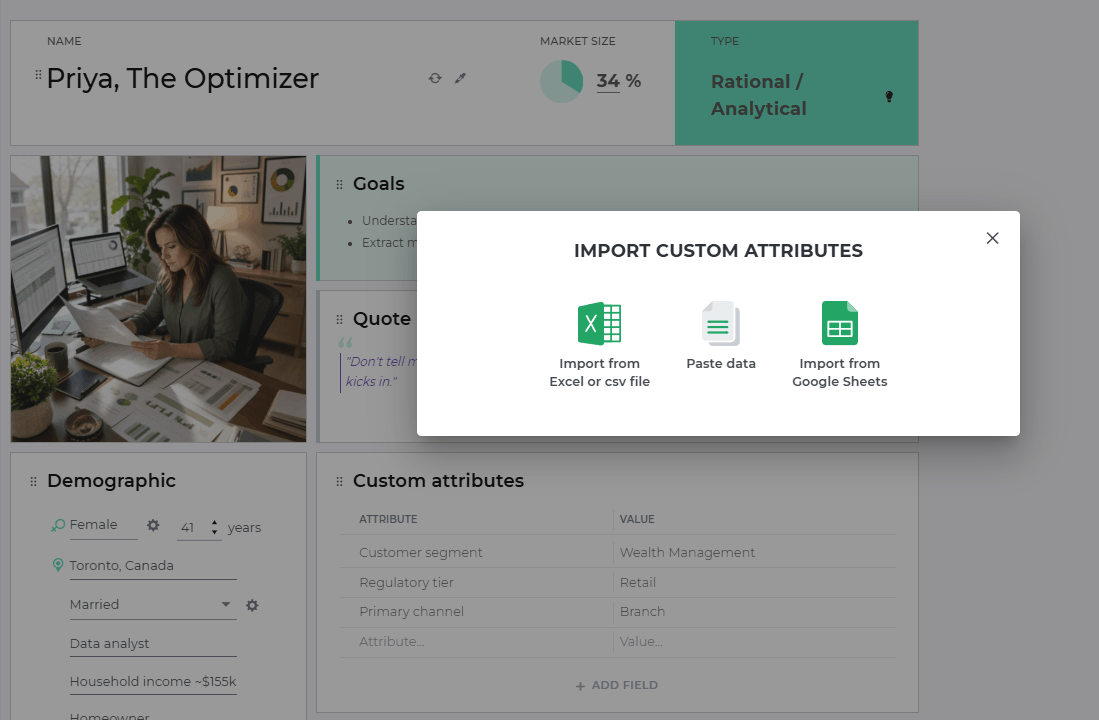
Personas now support custom attributes. There’s a new section type where you add data in field-value format. Track contract tier, regulatory segment, preferred channel, lifetime value, or anything specific to how your business thinks about its customers.
Import attribute data directly from Excel, CSV, or Google Sheets, or paste it in.
Four small changes, more room to work the way your team already does. Are you ready to put them into use?






Comments are reviewed before they appear.