


In journey mapping, what often gets in the way is neither the map’s quality nor its level of detail. It’s the effort required to understand the journey situation, get necessary insights, and update the map regularly.
The good news is that UXPressia has got you covered. The answer to these challenges is the AI Journey Assistant.
Contents [hide]
What is the AI Journey Assistant?
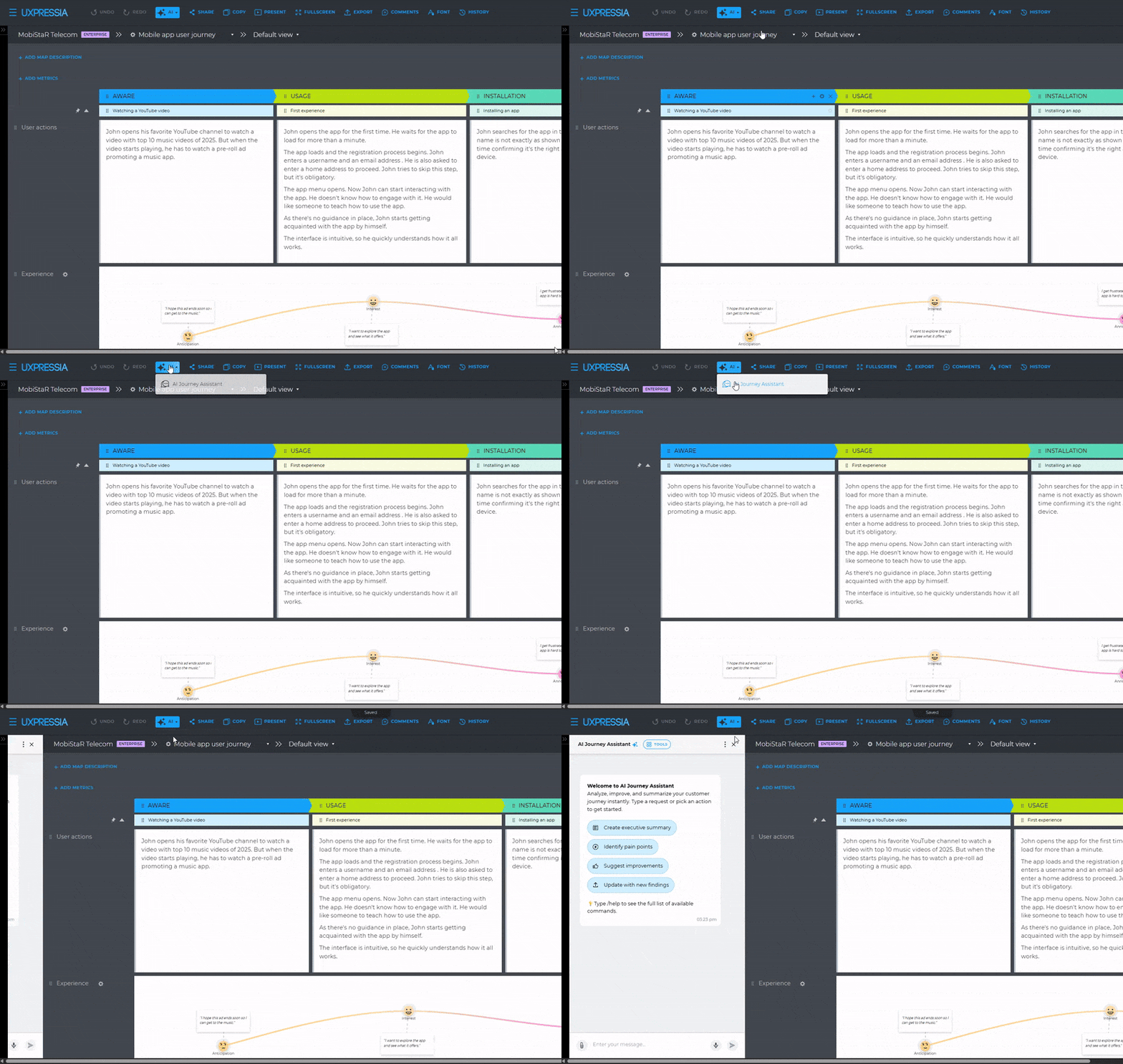
The Journey Assistant is built into our customer journey mapping tool and works directly with your journey map. It understands the structure, content, and logic of the journey you’ve mapped out.
It will become your got-your-back partner, who is always there to discuss the map and related personas, provide the information you need, handle time-consuming manual tasks, identify patterns and problems, and suggest actionable ideas.
And there is more!
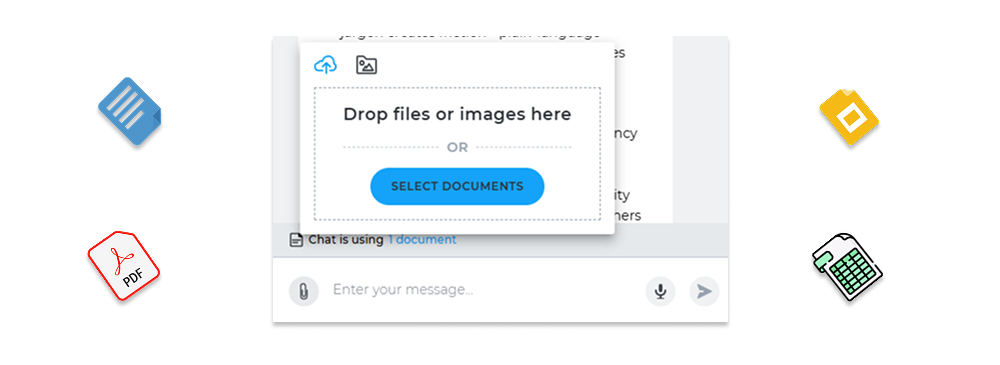
When you supply the Assistant with additional context, such as new research or a detailed product description, it responds with more nuanced, context-aware insights. Much like a teammate who has just reviewed your latest customer survey and already applies those findings in their work.
And unlike a teammate, the Assistant can process and start using the new data right away, so you can feed it even large amounts of data. It will immediately combine it with all the other knowledge it already has about the map, personas, and other data you previously shared with it.
Five ways the AI Journey Assistant can help you today
AI Journey Assistant supports the work that typically takes the most time after you create a map. Here is how you can save hours and even days of work.
Get quick answers without searching the map
Finding answers to your questions takes time, especially when a journey map is complex or when you weren’t the one who created it.
The AI Journey Assistant lets you ask questions directly and get clear answers based on the full journey context. You don’t have to scan every stage, section, or cell to understand what’s happening across the journey or within specific stages.
This helps teams move faster during onboarding, discussions, and decision-making.
What are typical use cases?
- Understanding the journey and map content. Just ask questions about the journey and get instant responses.
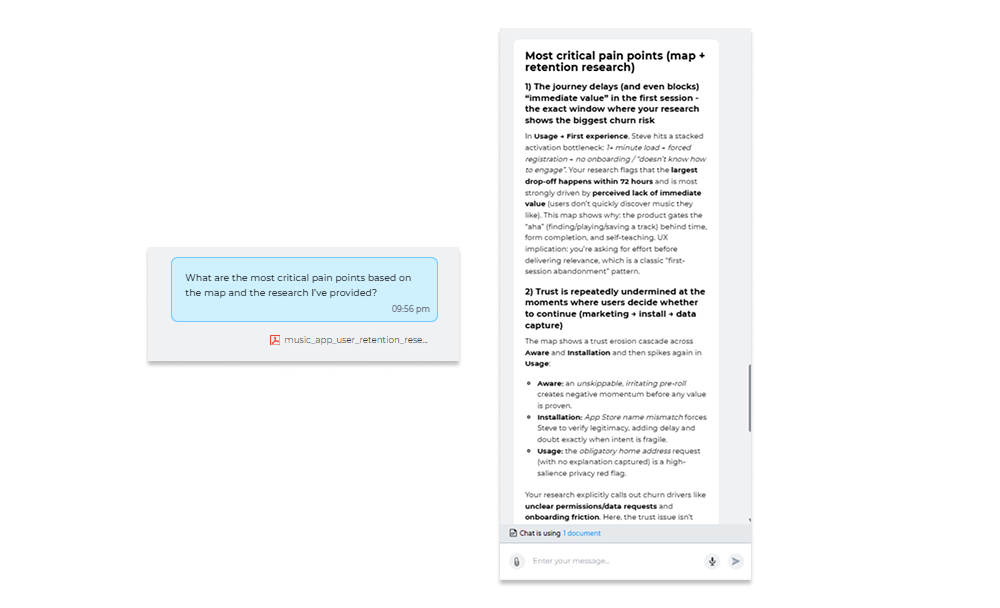
Prompt examples: How many problems are there at the Awareness stage? What are the top five opportunities throughout the journey? What are the most critical pain points based on the map and the new research?
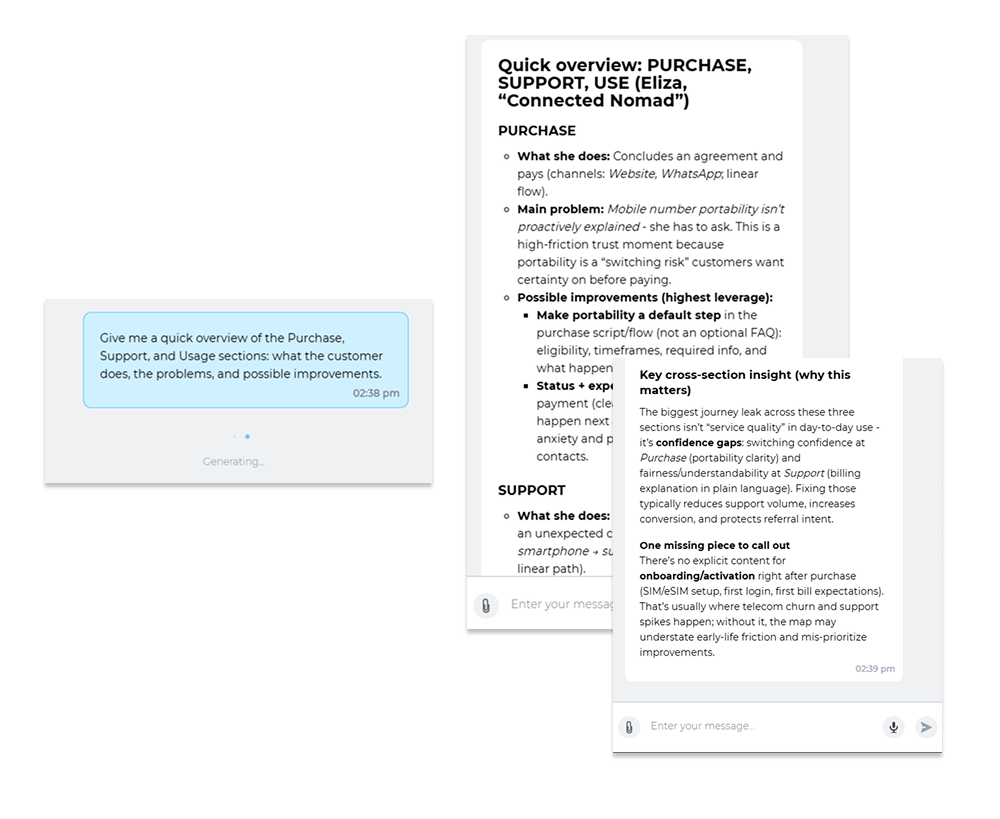
- Delving into the journey and map content. For example, a new support agent who has just joined the company can ask the Assistant for the details of the journey stages relevant to the support team, rather than read the entire map themselves. If needed, they can go deeper by asking additional questions, and the Assistant will respond.
Turn your maps into actionable intelligence
The Assistant helps you not only understand the journey map but also turn it into the next steps. Are you trying to identify pain points? Are you stuck with improvement ideas at an ideation workshop? Do you have trouble formulating an action plan based on the journey data? Or do you want to test journey-related changes before committing to them?
The AI Journey Assistant can help you with all that. Ask it for help, and this smart fellow will look across the map, the personas linked to it, and any additional context you provide to identify patterns and opportunities, suggest actions, and even show how the journey would change if you implement the improvements.
What are typical use cases?
- Ask the Assistant to identify pain points and opportunities. It will add relevant map sections if you don’t have them yet, and automatically create CX Chunks within these sections, helping you turn insights into action points in a breeze.
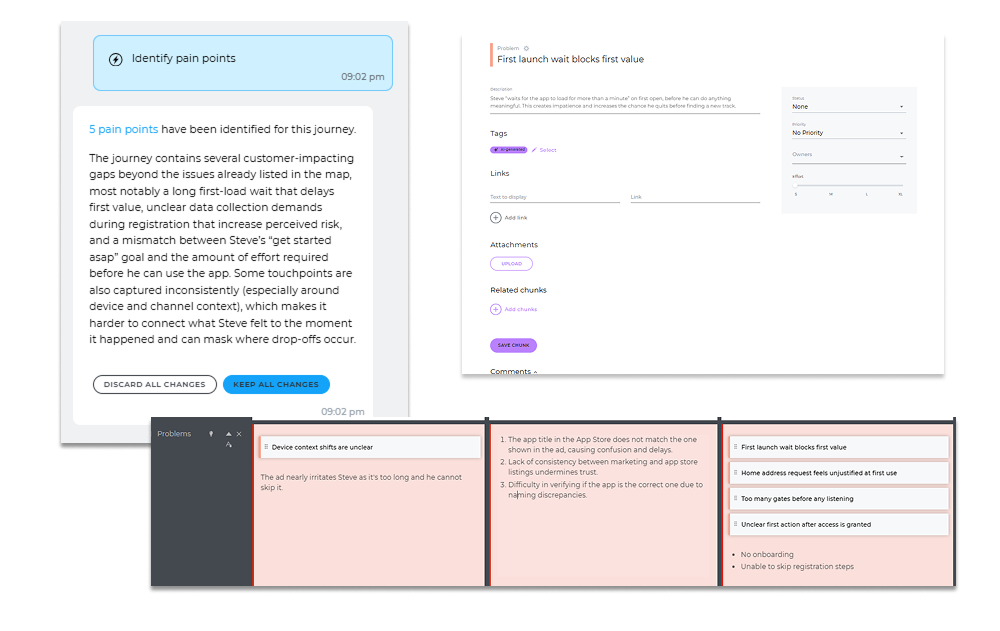
Plus, you get a one-pager with the insights to access anytime or share as a PDF, DOCX, or CSV file.
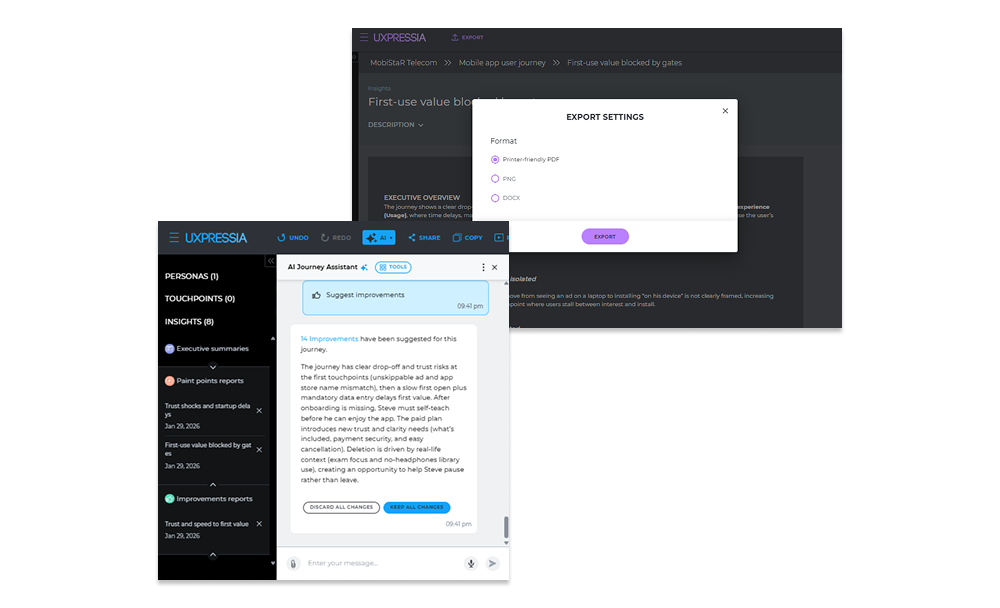
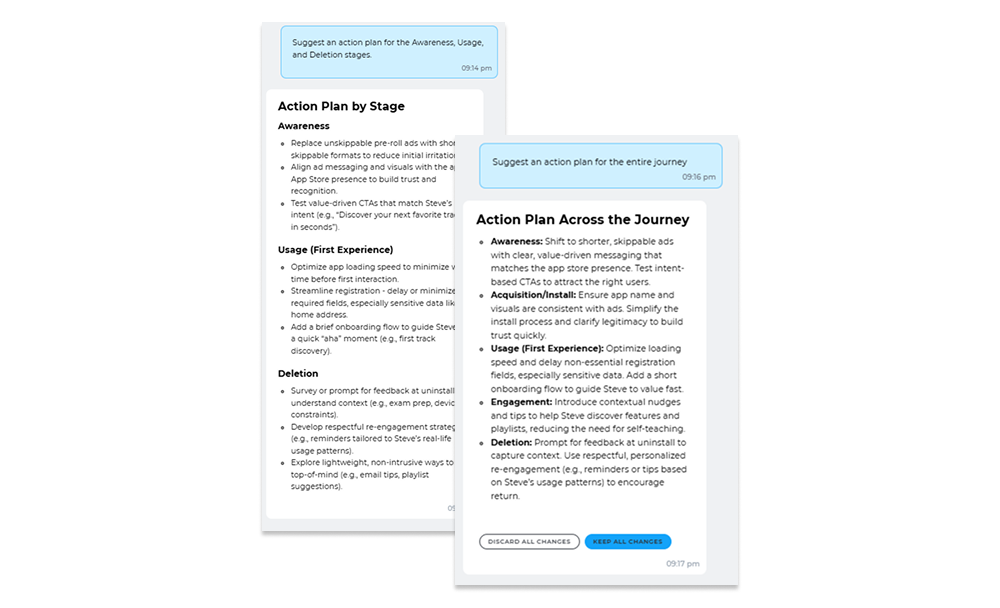
- Develop an action plan for the entire journey or for specific stages.
Prompt examples: Suggest an action plan based on the journey. Add more improvement ideas to the Ideas section.
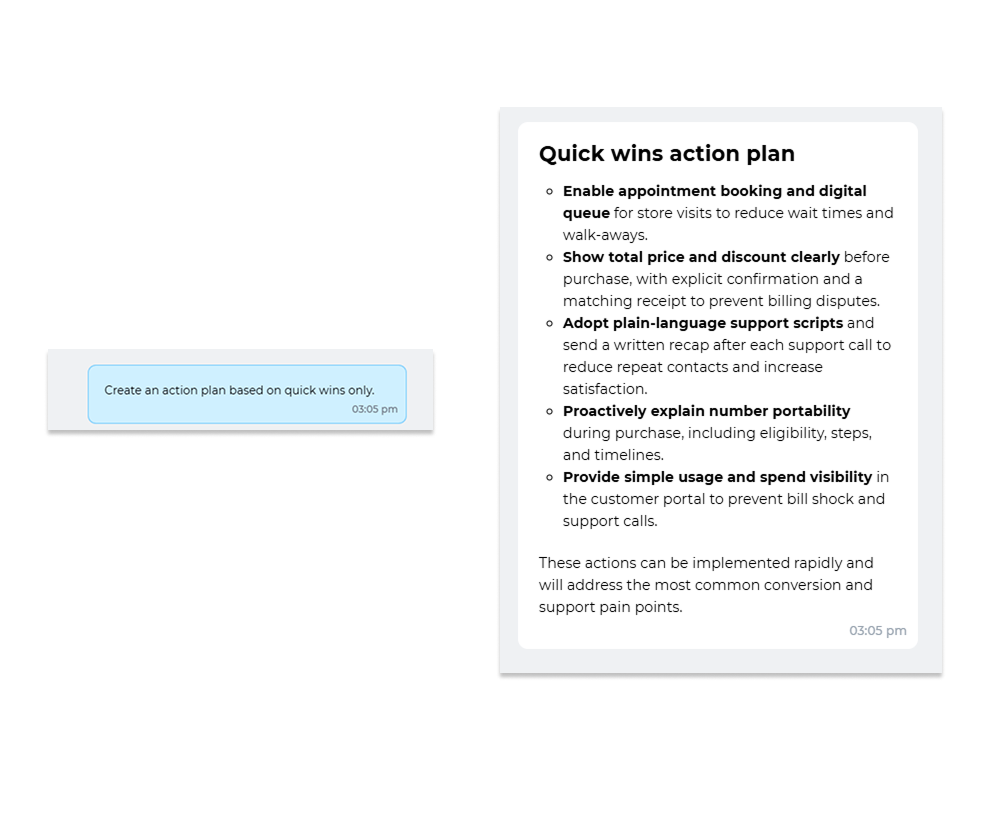
Or, if you are looking for quick wins, ask the Assistant to list them or even turn them into concrete actions.
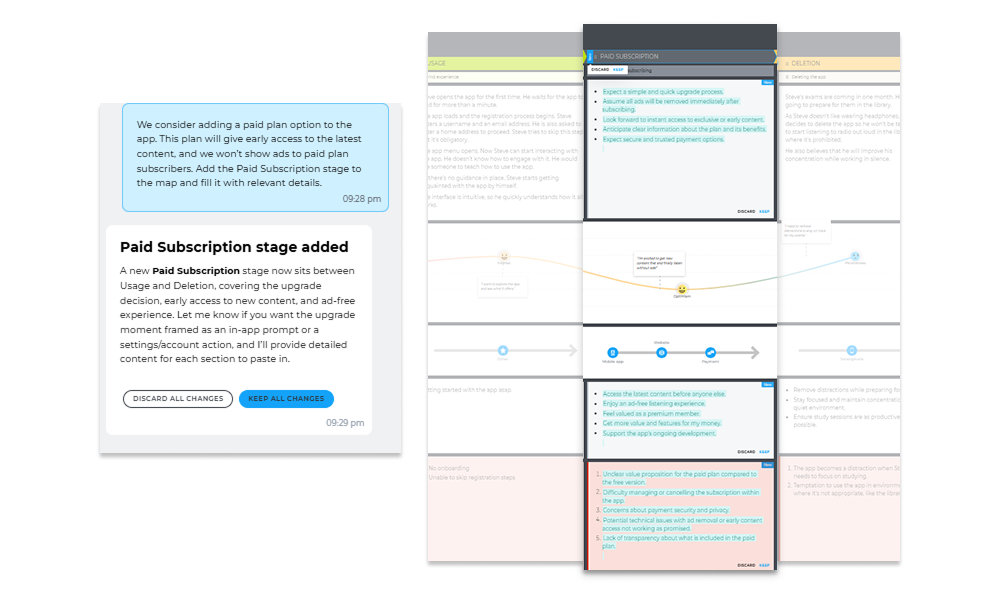
- Visualize proposed changes before implementing them. For instance, you are considering introducing a paid subscription for users who want to hide ads that you show them from time to time. However, you are unsure whether it is worth it. Ask the Assistant to add it as a new stage to your map to see how this idea might impact the overall customer experience.
Keep your maps alive
When a journey map becomes outdated, teams gradually stop relying on it, and customer focus starts to fade. Manual updates take time, so they’re often delayed or even postponed until it’s too late.
The Assistant makes it easier to keep maps up to date, speeding up the entire update process by times, so teams can trust the information inside and stay engaged with the journey.
Every time you have some new data (e.g., research notes, interview transcripts, customer support logs, or industry reports), ask the AI Journey Assistant to update your map. It will go through your findings, compare them with what you already have in the map, and update or enrich the map with insights and the latest data. If needed, it will also add a new section (e.g., a charts section to represent the quantitative data) or even a new stage to the map.
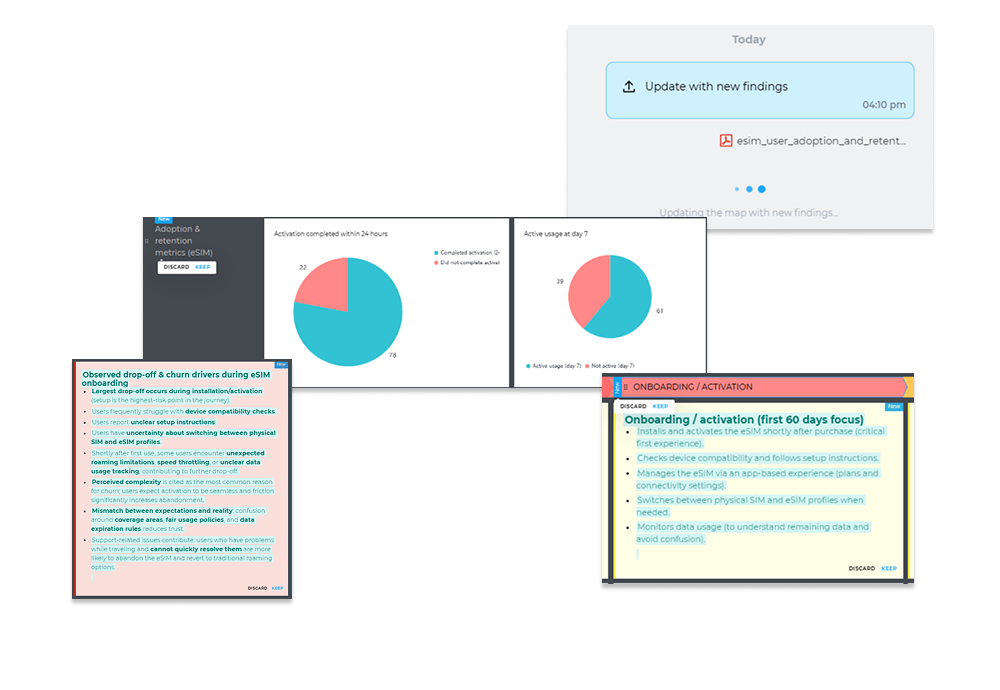
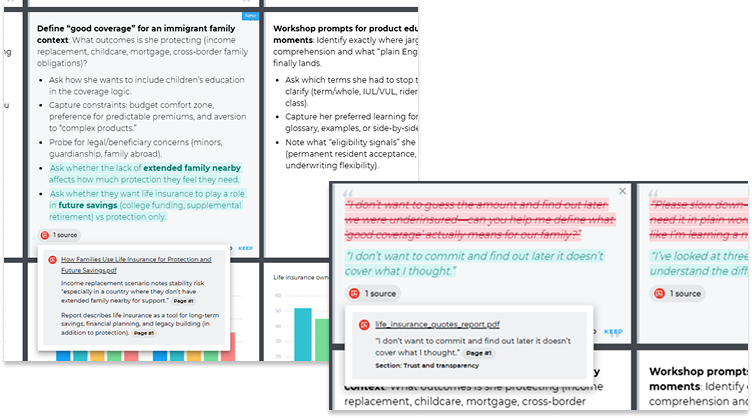
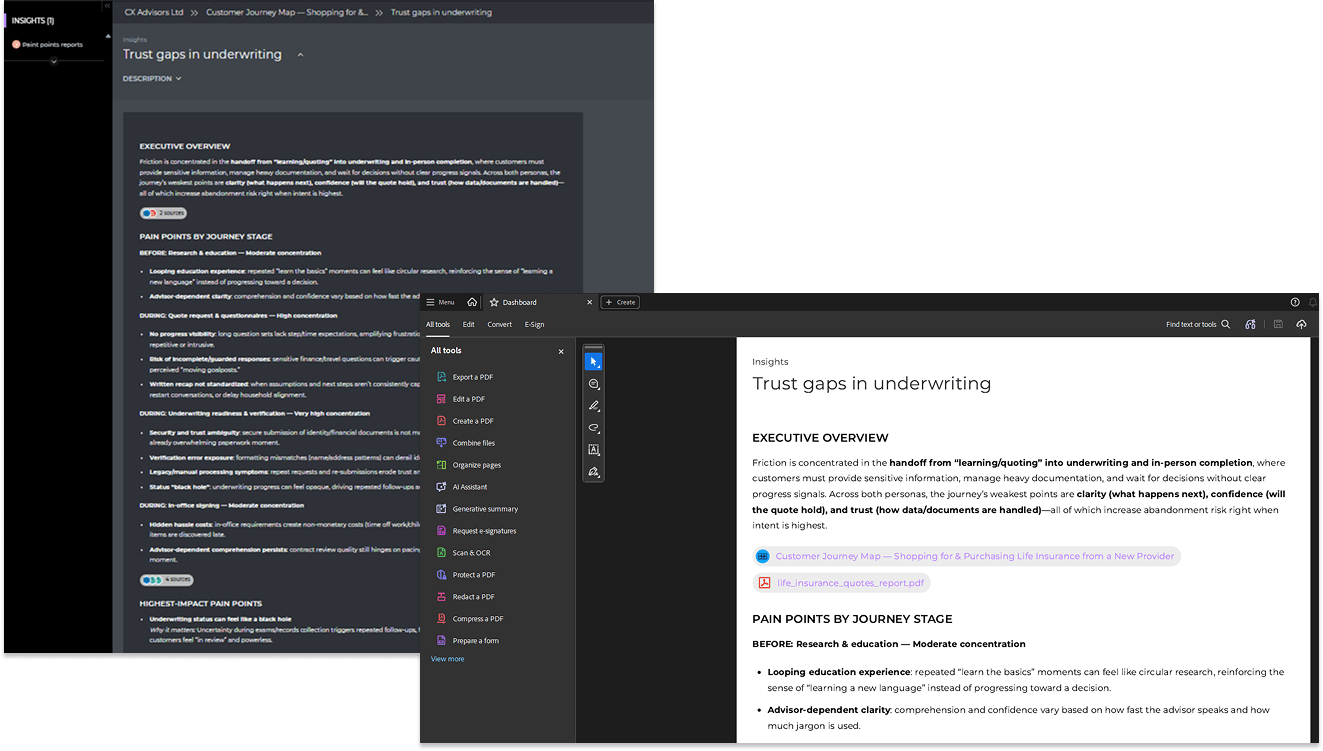
And you can verify every update. When the Assistant updates your map with new findings, each updated cell displays source badges linking the content to the document it came from. Click a badge to see the exact source.
Improve stakeholder communication and reporting
Even high-level journey maps often contain more details than stakeholders (and some teammates) have time to absorb. The AI Journey Assistant helps you communicate what matters most at the right level of detail for the situation.
What are typical use cases?
- Ask the Assistant to prepare a summary for a specific audience. Prompt example: Prepare a journey summary for our marketing team. Focus on pre-purchase stages and marketing opportunities.
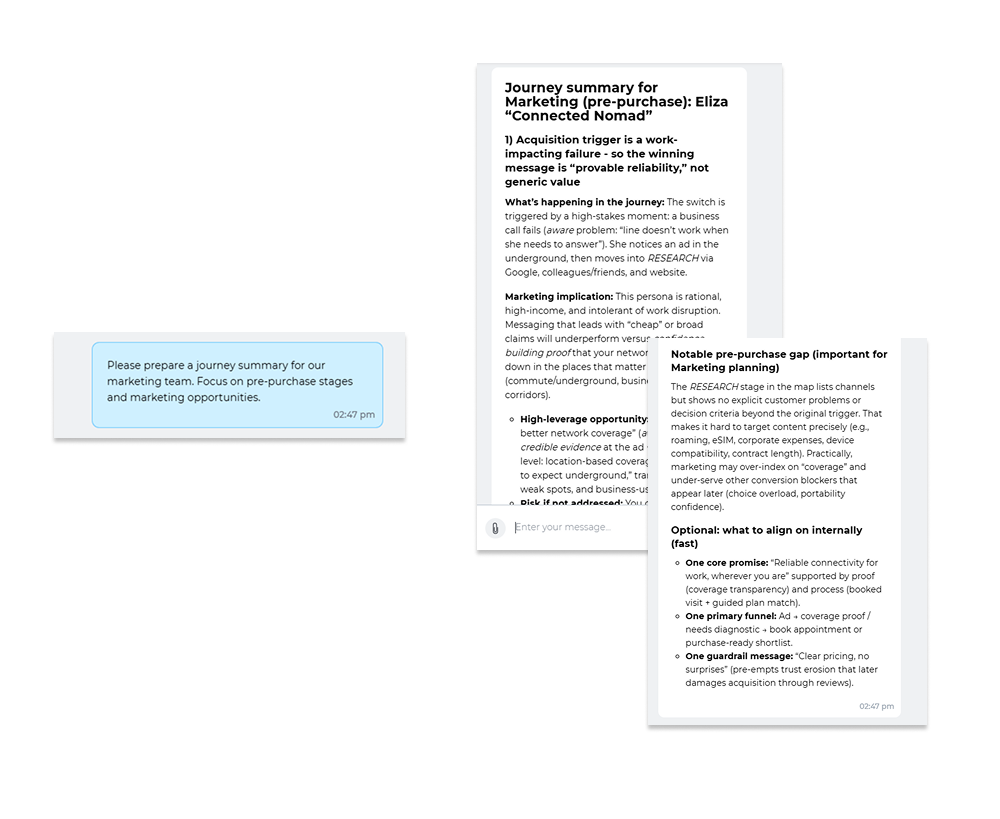
- Create an executive summary and use it as text in your presentation or send it as a one-pager to your boss, colleague, or customer.
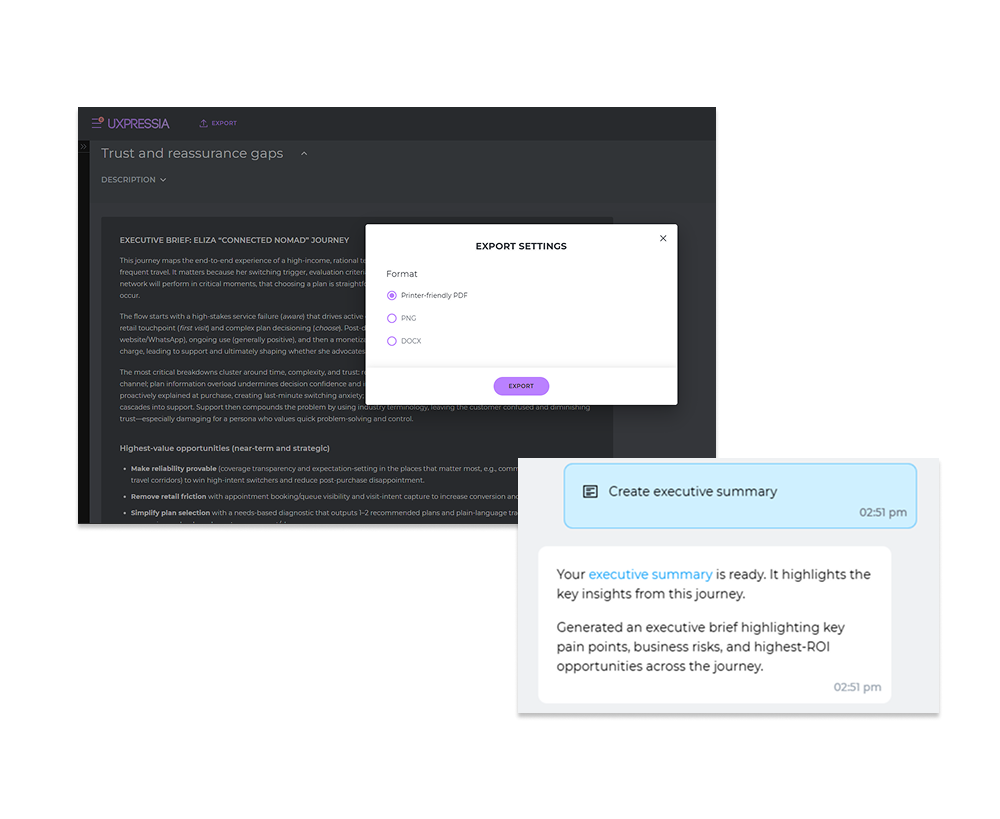
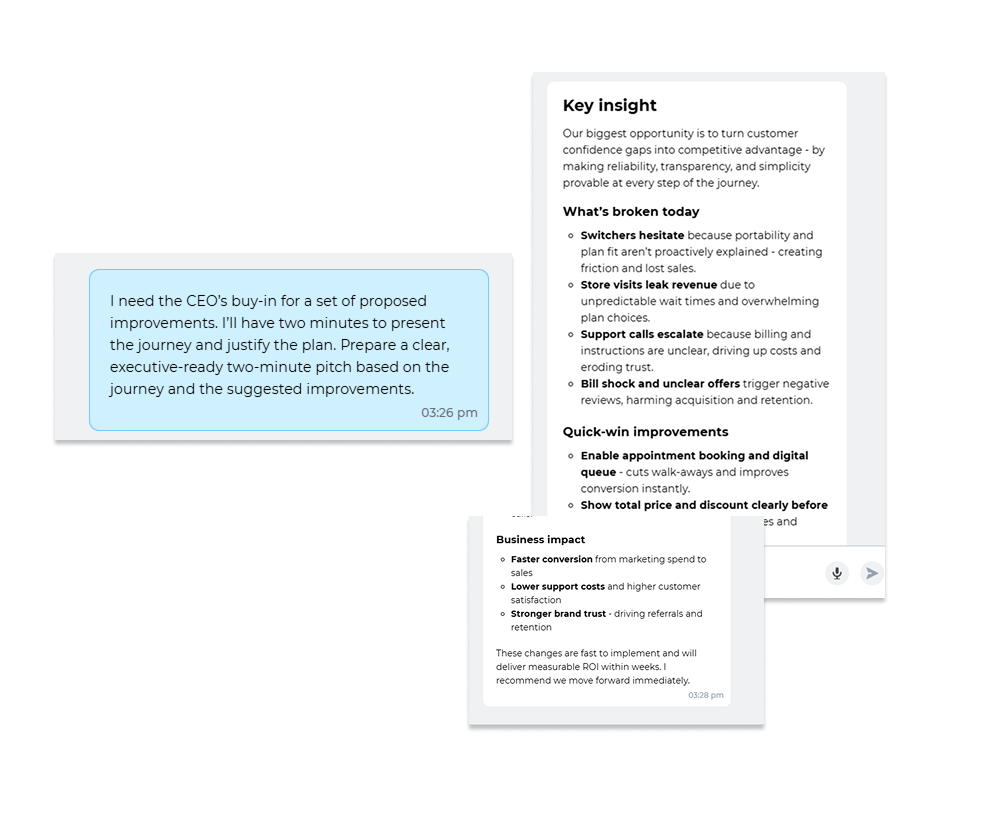
- Prepare a sales pitch for any audience without spending hours writing it by yourself.
Prompt example: Write a sales pitch for the management board. Use corporate language.
Back up your reports with evidence. Every AI-generated insight displays source badges, so when you share a summary or one-pager with stakeholders, they can see exactly which research documents support each finding.
Reduce manual work to what actually matters
A lot of journey mapping work is repetitive: filling in sections, proofreading, rewriting, aligning language across the map, and so on. The AI Journey Assistant helps you do all that in minutes.
What are typical use cases?
- Ask the Assistant to proofread the map or its parts. Prompt examples: Fix grammar and spelling for the entire map. Fix grammar and spelling in the Ideas section.
- Fill in the map parts with data. Prompt example: Fill in the Problems section for the Special Offer stage.
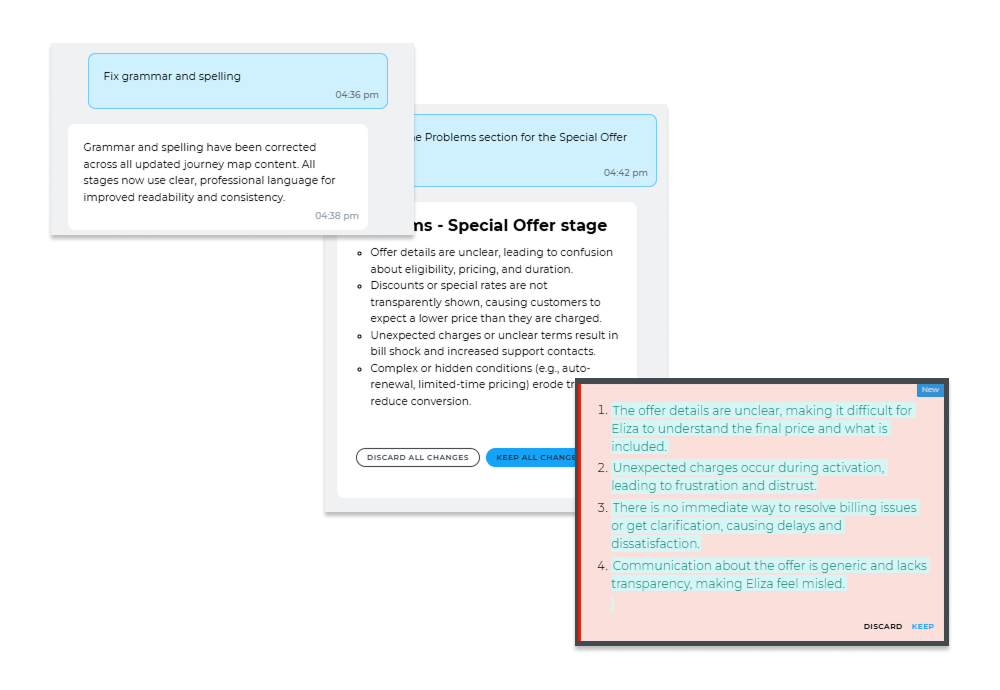
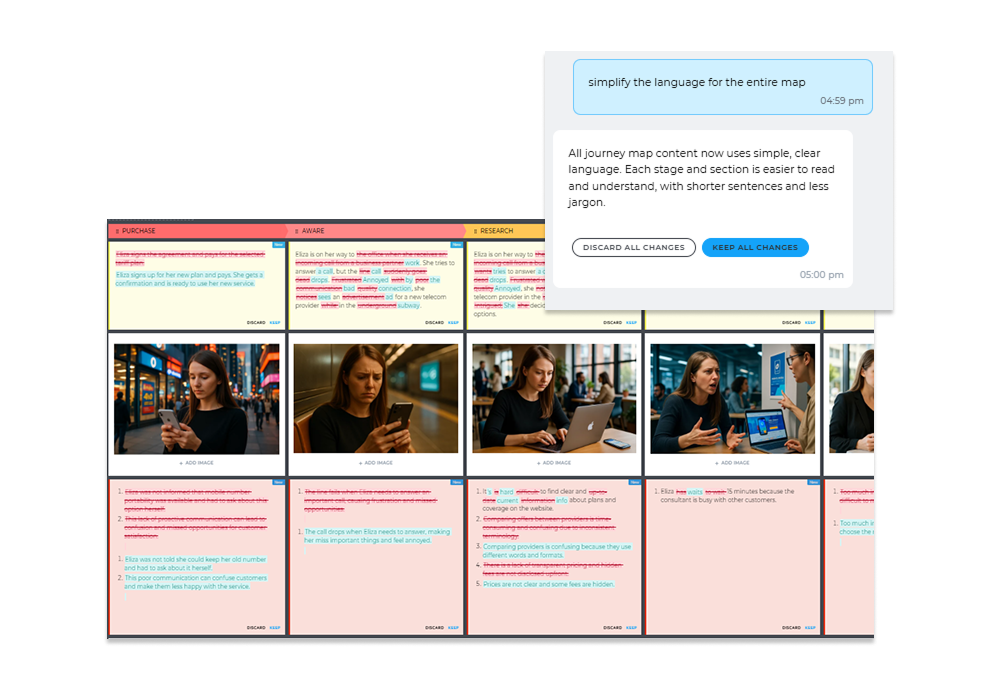
Adjust the content to a specific audience, industry, or locale. Prompt example: Simplify the language throughout the map. Make the map more regionally specific for France. Enrich the map with telecom-specific details.
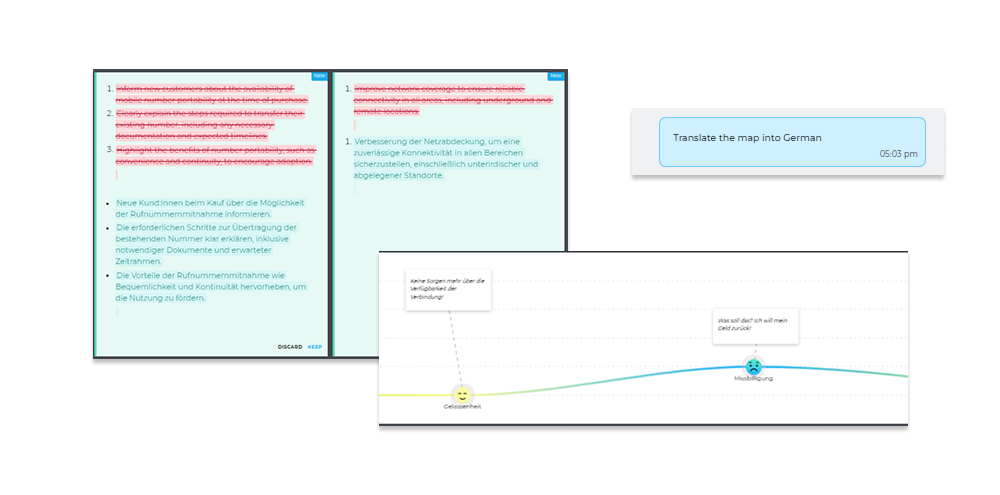
- Translate the map. Prompt example: Translate the map into German.
Want to see how AI Journey Assistant works with your maps?
If you’re curious how the AI Journey Assistant would work in your UXPressia setup, reach out to the sales team at sales@uxpressia.com. They’ll help you explore it in the context of your journeys and your team’s way of working.
P.S. If your are looking for even more advanced AI capabilities, consider purchasing the AI Boost add-on.




Comments are reviewed before they appear.